
Caller Times
USA TODAY Co.News & Magazines
4.055.00 Reviews
- Version
- 8.10.3
- Installs
- 10.00K
- Age Rating
- Everyone 10+
Screenshots


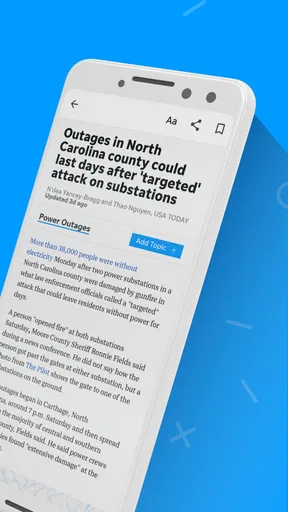




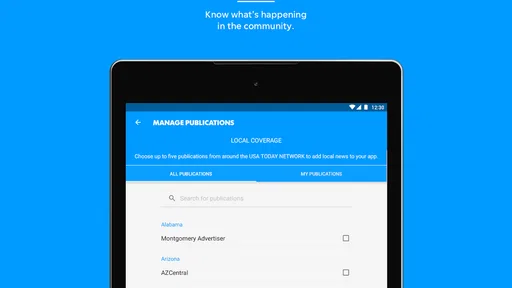
Our Review of Caller Times
 Analysis by Appyee
I found Caller Times most useful when I treated it as a focused local-news companion rather than a complete replacement for every news source on my phone. It comes from USA TODAY Co. and sits in the News & Magazines category, with a clear emphasis on keeping up with nearby reporting while still offering broader coverage, photography, and video. That mix makes sense for a household or shared device, where different people may open the same app for different reasons: one person checking what happened locally, another scanning national headlines, and someone else watching a short report instead of reading a full article.
The app is free to install, which makes trying it low-risk. It is rated for Everyone 10+, so I would consider it suitable for many families, but I would still treat the age label as a starting point rather than a substitute for conversation. News can include upsetting events, crime, disasters, politics, and other subjects that may not suit every child. My overall impression is positive, though I would not ask it to do the job of a private family dashboard, a school communication tool, or a perfectly neutral all-in-one news archive.
How Caller Times fits into a shared household
I find a shared household gets the most from Caller Times when everyone treats it as a common place to begin, not a feed that must suit every reader equally. One useful habit is to agree that whoever spots a relevant story shares its main point and why it matters, rather than passing around a headline without context. That keeps the app’s local coverage useful while making room for different ages, interests, and questions.
A practical local-news routine
In a shared setting, the strongest use case is a quick check during ordinary moments. I can imagine opening Caller Times over breakfast to see whether a local event might affect the day, then returning later for a national development or a video report. A household member who does not normally read long articles can use the visual side of the app, while someone more interested in context can stay with written coverage. That flexibility gives the app a useful role without requiring everyone to follow the same reading habits.
For example, before leaving for work or school, one person might look for a local update, while another checks a developing national story during a lunch break. The app can serve both moments because it combines nearby reporting with wider news and media-rich presentation. I like that arrangement more than forcing every family member into a single newspaper app that may be excellent nationally but weak on the local details people actually discuss at home.
There is also a small but important benefit to using one recognizable news source on a shared phone or tablet: conversations can begin from the same article or video instead of from several unrelated social-media posts. That does not make every report automatically complete, but it gives a household a common starting point. I would still encourage anyone making an important decision to compare coverage and check the full article rather than relying on a headline.
What the app does well for different readers
My favorite part of this kind of app is the low commitment. I do not need to plan a full reading session. I can open it, scan the available stories, choose something relevant, and leave. The combination of local and national material helps prevent the experience from feeling too narrow, while the photography and video make it easier to understand some events quickly. A strong image or a short report can communicate the setting of a story more effectively than a block of text alone.
That convenience is especially helpful on a device used by several people. A teenager interested in a major national story may find something relevant without needing a separate app, while an adult looking for local context can stay closer to home. The trade-off is that a shared feed can feel less personally tuned than a dedicated reader built around one person’s interests. If everyone in the household wants a completely different news mix, each person may need patience when browsing.
My practical tip is to use Caller Times as a first stop, not the final word. Start with the local story that matters to your household, read beyond the opening lines, and then seek another reputable source when the subject is sensitive or consequential. That workflow preserves the app’s convenience while avoiding the common mistake of treating one news feed as the entire picture.
Keeping the shared device understandable
On a shared device, clarity matters more than customization. I would avoid handing the phone to another household member while a half-read article is open if the subject could be confusing or upsetting without context. Instead, I would close the story after reading it and explain what it was about when necessary. This is not a special app feature; it is simply a better way to use a general news application around different ages and levels of media literacy.
The visual presentation can help a reader decide what deserves attention, but it can also encourage quick scanning. I found that the best approach is to use images and video as entry points, then slow down for the written details. This is one of the less obvious trade-offs: rich media improves accessibility for people who dislike dense articles, yet it can also make a story feel complete before the reader has understood its background.
What setup means in real life
Caller Times has been available since December 6, 2010, and the current version is 8.10.3. It runs on Android devices using Android 8.0 or later, which is useful for households keeping an older phone or tablet in circulation. I would still check the device’s available storage and update status before making it the family news screen, because an older device can make any modern app feel less responsive even when the operating-system requirement is met.
The initial setup should be approached as a shared-device decision rather than an individual download. I would first decide whether the app belongs on a personal phone, a kitchen tablet, or a device that children can also reach. That choice affects how carefully I would review each story before passing the device around. A private phone allows more personal reading habits; a common tablet benefits from a simple routine that everyone understands.
The app is free, but in-app purchases range from $14.99 to $69.99 per item. Because of that, I would not let a child explore purchase screens unsupervised, and I would keep any store authentication under the device owner’s control. The free entry point is convenient, but the presence of optional paid items means “free to install” should not be confused with “nothing on the device can ever lead to a charge.” That is a sensible boundary for any shared phone.
Account boundaries and household expectations
I would keep the installation and purchasing responsibility with one adult on a shared device. That does not require complicated rules: the household can simply agree that children may read articles and watch available reports, while adults handle any account or payment decision. The arrangement also avoids the awkward situation where one person’s browsing habits become mixed with another person’s expectations.
For a personal device, I would use the app according to my own routine and review its current prompts during setup. For a communal tablet, I would explain that the app is for reading and viewing news, not for posting family information or treating headlines as private messages. This distinction is useful because news apps are often opened casually, and people can forget that the screen may still show a sensitive subject when another person picks it up.
I would also establish a simple rule about notifications if the device offers them during setup: keep them only if they help the household, and avoid turning every update into an interruption. I am deliberately more cautious here because a family tablet should not constantly pull attention away from homework, meals, or sleep. The best shared-device setup is usually the quietest one that still makes the app easy to open when someone wants local news.
Coordinating around local information
Caller Times can be useful when a household needs to discuss the same local situation. If one person discovers a relevant report, they can point another family member to the article or video instead of trying to summarize everything from memory. That is a practical coordination benefit, especially when the story concerns an event, a public change, or a developing situation that people may encounter during the day.
Still, I would not use the app as a formal alert system for emergencies or as the only source for time-critical instructions. News coverage and official announcements serve different purposes. In a household, I would check the appropriate official channel when immediate safety, travel, school, or public-service information is involved, then use Caller Times for reporting and context. This division of labor is one of the most important boundaries for responsible use.
Another useful habit is to share the article’s subject rather than merely saying, “The app says this happened.” That wording encourages discussion and leaves room for updates. News changes, especially when an event is still developing. I found that the app works better as a conversation aid when everyone understands that the first report may not contain the complete story.
Reading across ages and levels of trust
The Everyone 10+ rating makes the app a reasonable candidate for a household with older children, but the rating does not tell me whether every individual story is appropriate for every reader. A local report about violence, loss, or a disaster can be difficult even for an adult, so I would use judgment before handing the device to a younger family member. If a child is reading independently, I would explain that headlines can be attention-grabbing and that asking an adult about an uncomfortable story is always acceptable.
Trust also needs to be handled carefully. I appreciate having a named developer, USA TODAY Co., behind the app rather than an anonymous feed, but that alone should not replace critical reading. I look for the article’s full context, distinguish reporting from opinion where the presentation makes that clear, and compare major claims when they matter. The app can support informed habits, but it cannot perform those habits for the reader.
Photography and video deserve the same caution. They make events more immediate and can help explain locations or sequences, yet they may also be more emotionally intense than text. For a shared tablet, I would preview a report before showing it to a child and avoid assuming that a short video is automatically easier or gentler. This is a concrete advantage of adult supervision: the household can choose the format that fits the person, not just the story.
Where it beats the usual alternatives
Compared with a broad news aggregator, Caller Times feels more grounded in a specific local identity while still giving me a path toward national coverage. Aggregators are useful when I want many viewpoints in one place, but they can make local reporting harder to find among a large stream of unrelated headlines. Here, the local focus gives the app a clearer reason to exist on my phone.
Compared with social media, I prefer using this app when I want a more deliberate reading experience. Social feeds are faster at surfacing reactions and eyewitness posts, but they also mix commentary, repetition, and uncertain claims. Caller Times is not a substitute for checking original sources during a fast-moving event, yet it is a better starting point than accepting whatever appears first in a social timeline.
Compared with a national newspaper app, its advantage is relevance to the place where I live. A national publication may offer deeper analysis of major subjects, and I would choose that alternative when I want extensive background or specialized reporting. Caller Times makes more sense when the question is, “What is happening around here, and how does it connect to the wider news?”
Compared with a television news app, the balance depends on how I consume information. Video is valuable when I want a quick visual explanation, while written articles are better when I need to reread a detail or move at my own pace. I would choose television-style coverage for a lean-back viewing session and Caller Times for a flexible check throughout the day.
Limits I noticed before recommending it
The app’s local emphasis is also its main limitation for some readers. If I wanted a highly specialized national briefing, international reporting, financial coverage, or a carefully organized research archive, I would add another source rather than expect this one to cover everything. Its value comes from practical local awareness and accessible presentation, not from being the deepest possible tool in every news subject.
A second limitation is the tension between convenience and attention. Photography and video make the experience inviting, but they can lead me to skim instead of understand. I had to make a conscious effort to read the complete article and notice whether a story was developing. That is not a reason to avoid the app; it is a reason to use it with a slower habit when the topic affects my household.
The average rating is 4.0 from around 215 ratings, with around 55 written reviews, and the app has passed 10K+ installs. Those figures suggest a modest but established audience rather than the reach of the biggest national news platforms. I would interpret that as a reason to judge the app by its usefulness in my area, not by popularity alone. A local reader may gain more from it than someone who never needs local coverage.
My household verdict
I recommend Caller Times for households that want an approachable way to check local news alongside national stories, especially when the same phone or tablet is used by several people. Its free installation, visual reporting, and combination of nearby and wider coverage make it easy to fit into breakfast, commutes, breaks, and evening conversations. The app is most successful when one adult sets clear boundaries around purchases, sensitive stories, and the difference between news coverage and official emergency information.
I would skip it as a primary choice if my main goal were a fully personalized international briefing, deep specialist analysis, or a single authoritative source for urgent instructions. In those cases, a national publication, specialist service, or official channel would be a better companion. I would also avoid presenting it to younger children without context simply because the age rating says Everyone 10+.
For me, the deciding strength is its usefulness in ordinary coordination. It gives a family something concrete to read or watch together without demanding that everyone become a dedicated news follower. The best routine is simple: keep account control with the device owner, preview sensitive material for younger readers, read beyond the headline, and compare important claims elsewhere. Used that way, Caller Times is a practical local-news app with enough broader coverage to earn a place on a shared household device.
It is not perfect, and I would not confuse convenience with completeness. But if I wanted to help a household stay connected to nearby events while leaving room for national stories, photography, and video, I would be comfortable recommending Caller Times as a free starting point. Its strongest audience is the reader who values local relevance and quick access, yet is willing to apply a little judgment before turning a news item into a family conclusion.
Verdict
Strengths of Caller Times
- Clear local coverage of Corpus Christi and the Coastal Bend region.
- Breaking-news alerts help users stay updated on important local events.
- Includes sports reporting, community news, and regional entertainment coverage.
- Digital edition access makes the newspaper available beyond printed copies.
- Articles are generally easy to browse through the app’s organized sections.
Limitations of Caller Times
- Some premium stories may require a subscription or additional payment.
- Ad placement can make parts of the reading experience feel cluttered.
- Coverage may be less useful for readers outside the publication’s local area.
- Certain app features may depend on a stable internet connection.
- Users may encounter occasional delays before newly published stories appear.
Other Releases by USA TODAY Co.
View All
IndyStar: Indianapolis Star
News & Magazines2.7

AZ Central: Arizona Republic
News & Magazines2.5

The Detroit News: Local News
News & Magazines3.1

Detroit Free Press: Freep
News & Magazines3.0
Similar Picks in This Category
View All
Google News - Daily Headlines
Google LLC4.0

X
X Corp.4.8

Flipboard:Your Social Magazine
Flipboard3.4

Opera News: breaking & local
Opera4.5

Hindi News by Dainik Bhaskar
Dainik Bhaskar Group4.0

Way2News Daily News App
Way2News ( Formerly Way2SMS )4.6
Frequently Asked Questions
What is Caller Times?
Caller Times is a digital news application focused on delivering local and regional coverage, particularly for readers interested in Corpus Christi and the Coastal Bend area. After installing it, users can browse breaking news, community updates, sports, business, entertainment, and other stories in one place. The app is designed for people who want convenient access to journalism from their phone or tablet.
Is Caller Times free to download and use?
The Caller Times app can generally be downloaded without an upfront charge, allowing users to explore available articles and app features. However, access to the complete publication may depend on the current subscription model, which can include article limits, registration requirements, or a paid digital subscription. Before downloading, check the pricing and access details shown in the Google Play Store or Apple App Store.
What type of news can I read in Caller Times?
The app typically covers a broad selection of local-interest topics, including breaking news, public safety, local government, education, sports, weather, business, entertainment, and community events. Its strongest value is its regional focus, making it more useful for readers who live in or follow the Corpus Christi area than for users seeking only national or international headlines.
Does Caller Times require an account or subscription?
Some content may be available without signing in, but an account could be required for personalized features, saving preferences, managing a subscription, or continuing to read beyond any free article allowance. Certain stories may also be restricted to subscribers. Requirements can change over time, so review the in-app prompts and the publication’s subscription terms before assuming that every article is freely accessible.
Is Caller Times worth downloading?
Caller Times is worth considering if you want focused coverage of Corpus Christi and surrounding communities rather than a general news reader. The app offers a convenient way to follow local developments, sports, and regional stories while away from a computer. Its value depends on your interest in the area and whether the available free content or subscription options match your reading habits and budget.
